

 Imagem 1 de 1
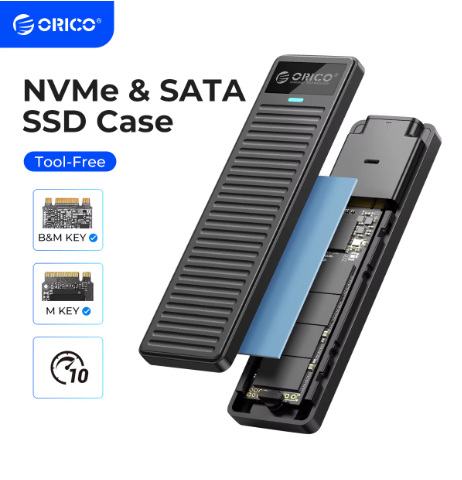
ORICO M.2 NVMe SSD Enclosure 10Gbps USB 3.2 Gen2 Case Box Simple Design Tool-free Support UASP for NVMe SATA SSD Gamers
a partir de R$ 82,97
Brand Name: Orico
Choice: yes
Compatible Brand/Model: None
High-concerned chemical: None
Interface Type: PCI Express
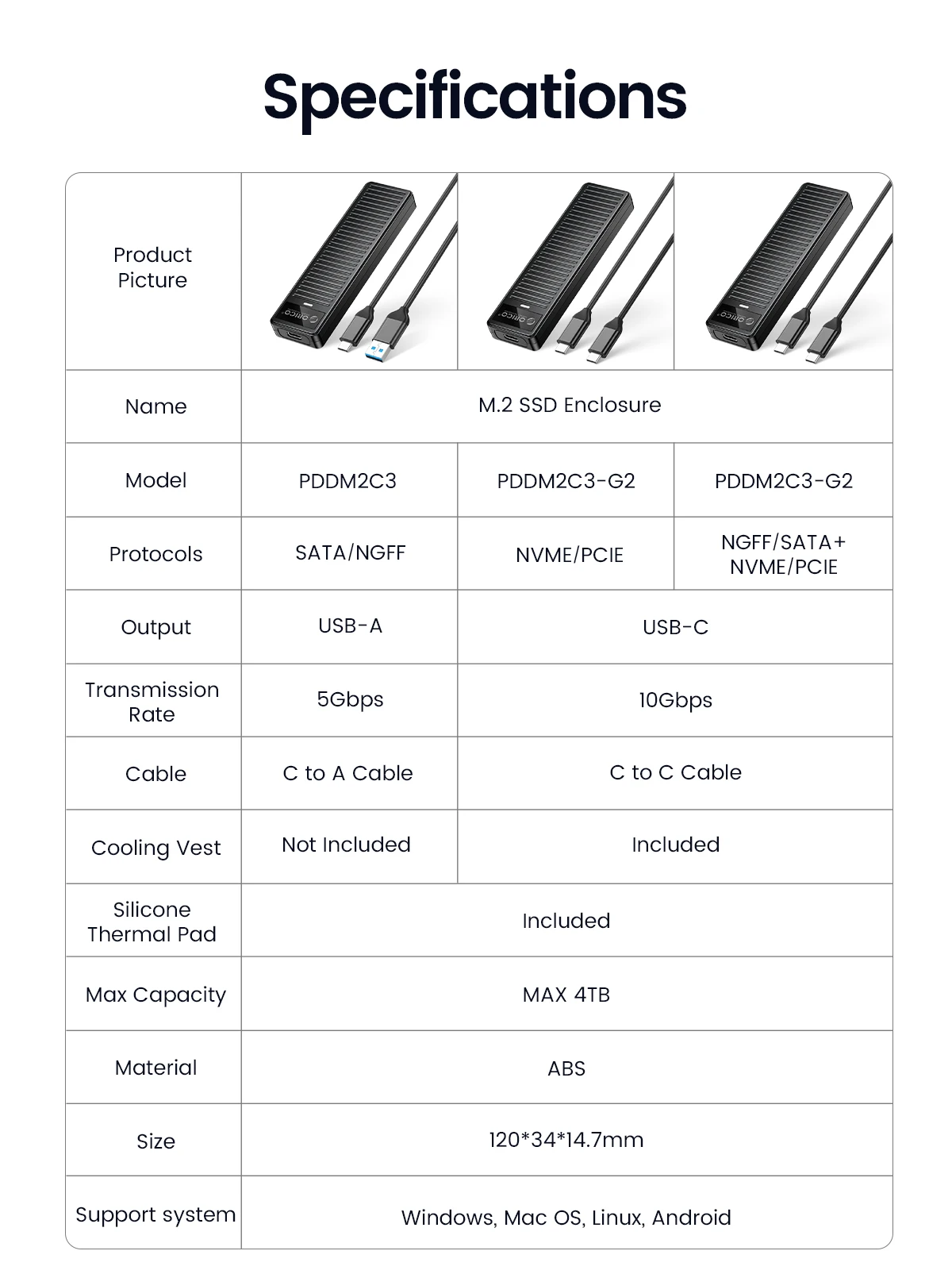
Model Number: PDDM2C3
Origin: Mainland China
Plug Type: USB
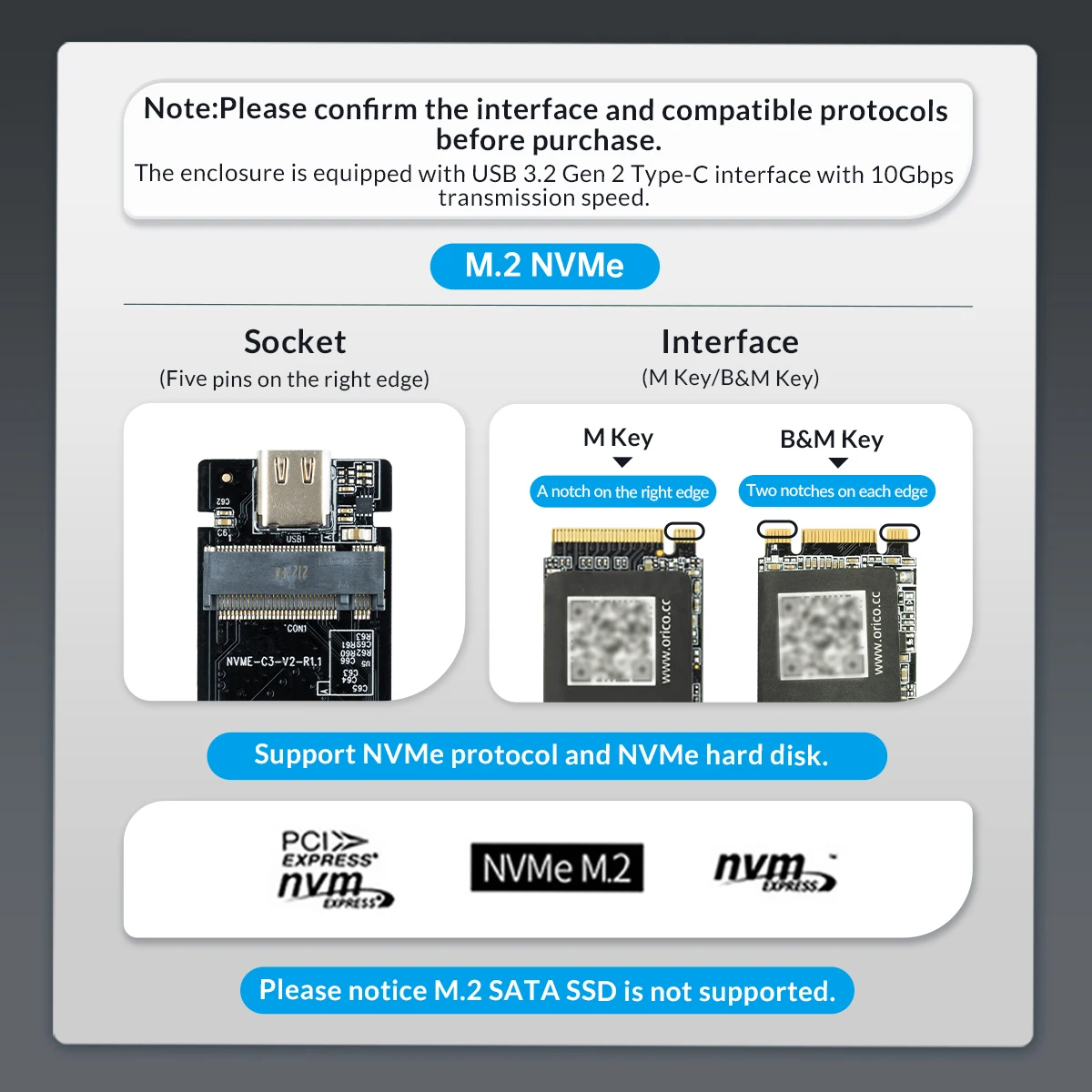
Please confirm the interface and compatible protocols before purchase.
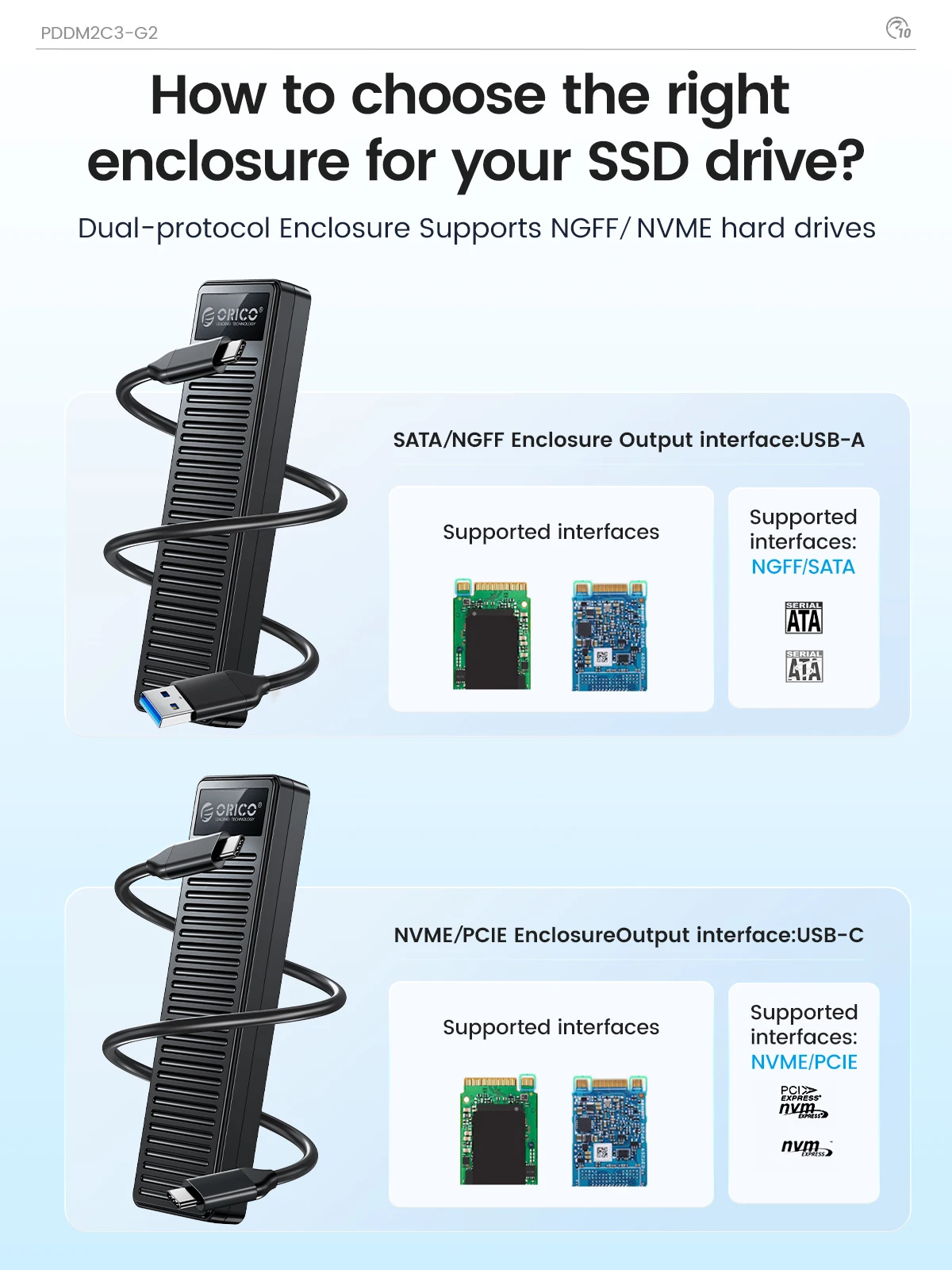
NVMe 10Gbps: Only supports M key SSD and PCIE SSD. SATA SSD is not supported!
NVMe SATA Dual Protocol: When using NVMe SSD, the transmission rate is 10Gbps and the read and write speed is 1000MB/s. When using M.2 SATA SSD, the transmission rate is 5Gbps, and the reading and writing speed is 450MB/s.
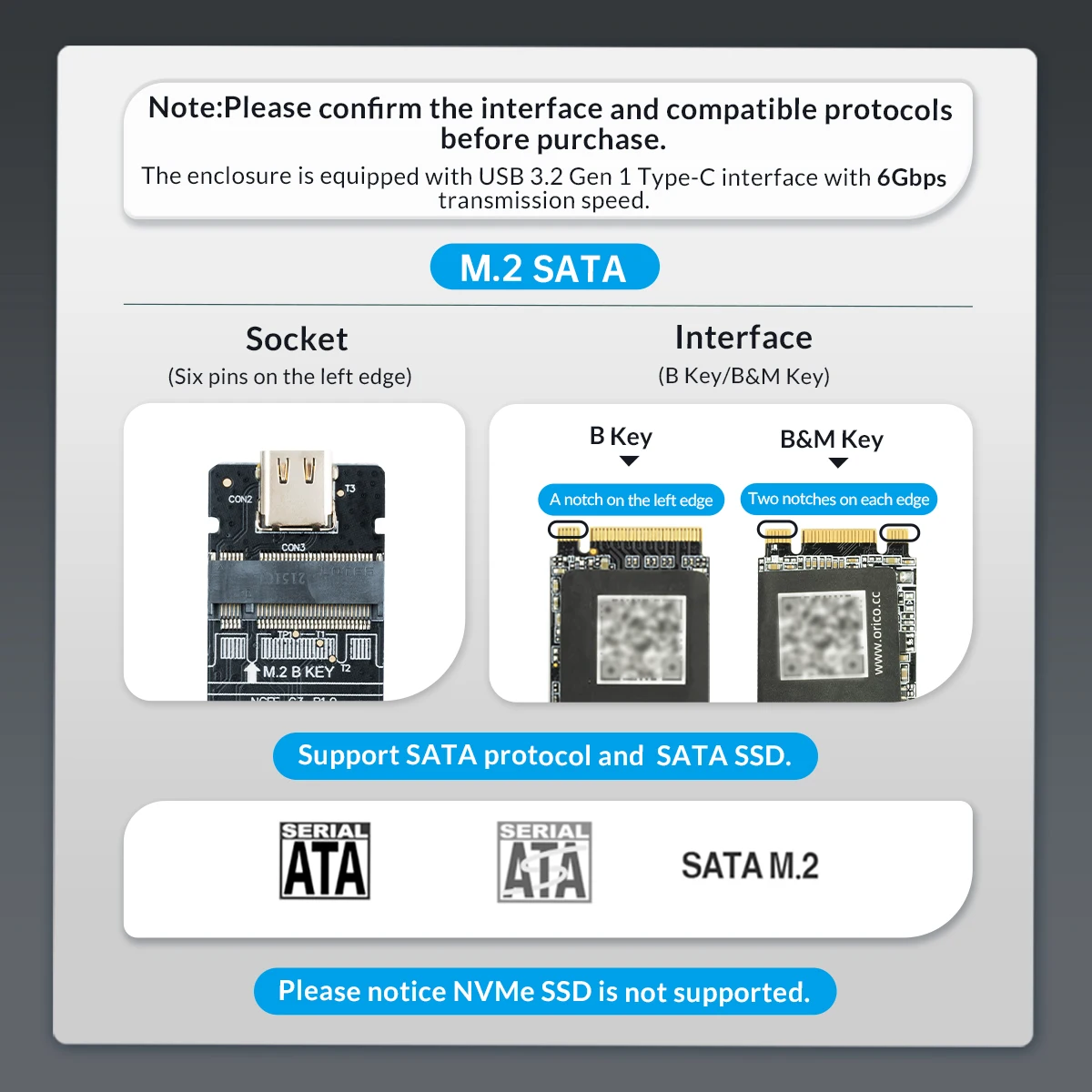
How to choose a M.2 Case for your SSD
SATA and NVMe model have different ports, and SATA output port is USB-A, and NVMe output port is USB-C.
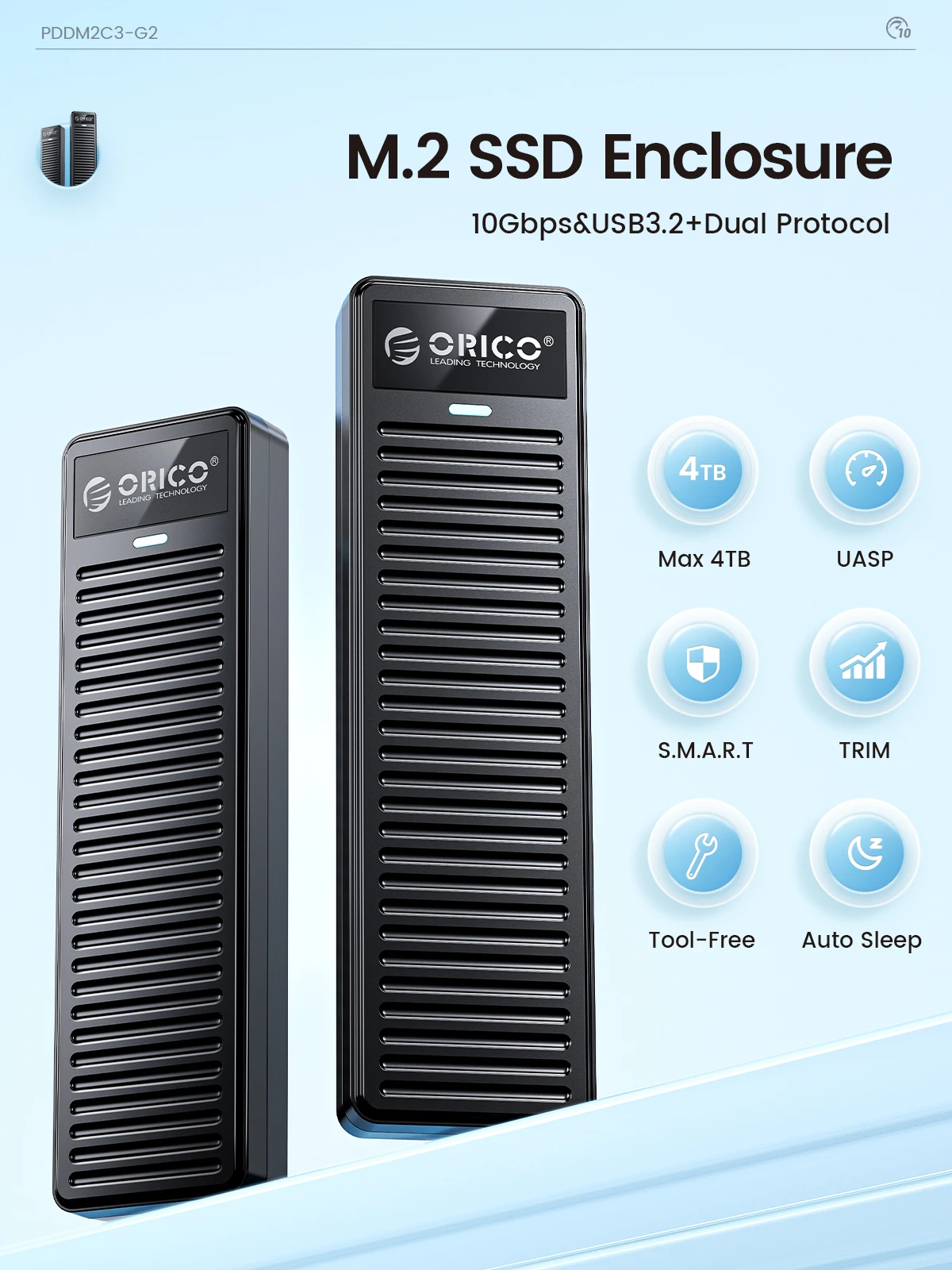
Simple Design Appearance
Focusing on the beauty of simplicity.
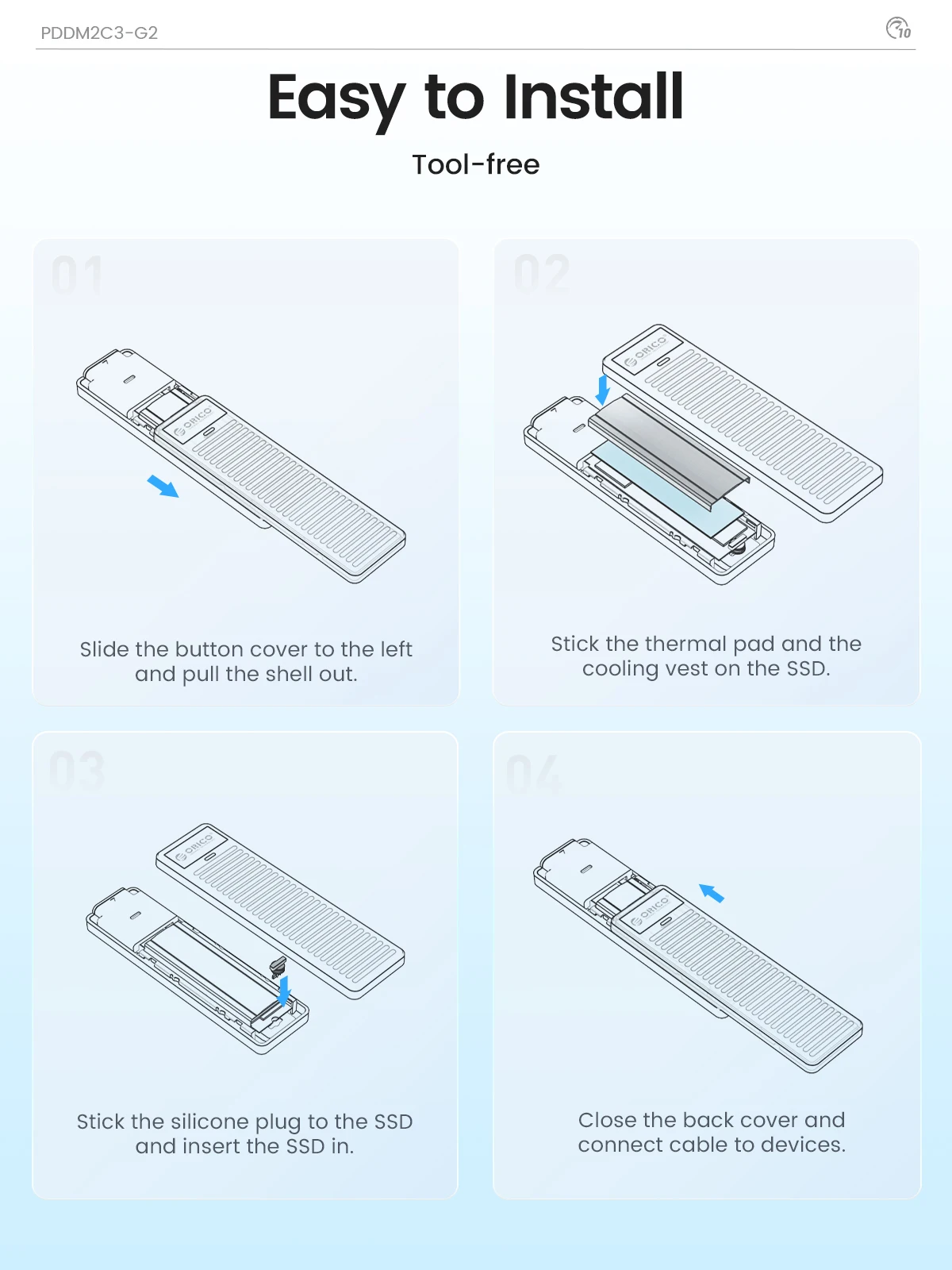
Tool-free Installation
Press the side and slide out the solid-state drive tray.
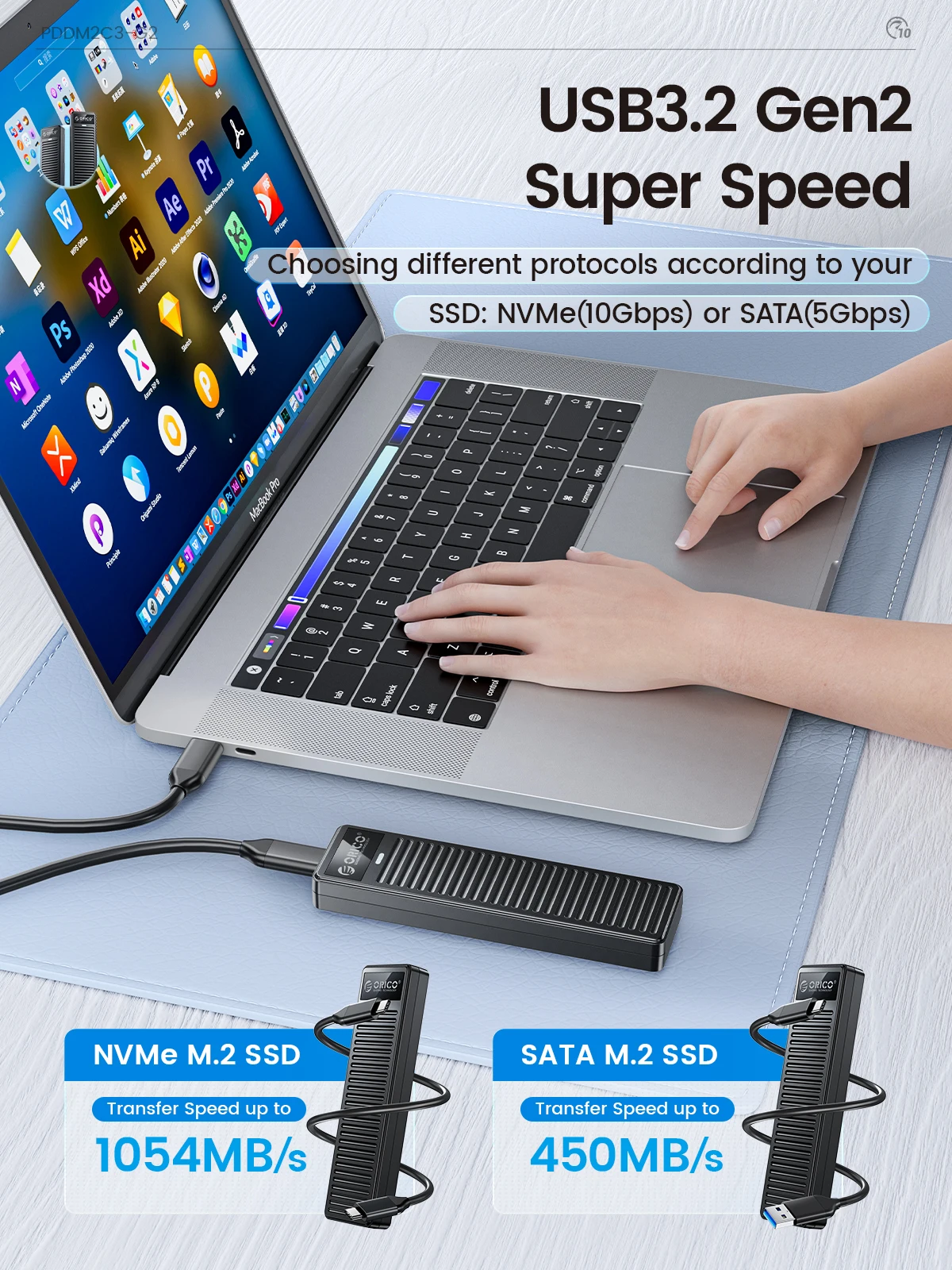
1G in 1 Second
When using NVMe SSD, the transmission rate is 10Gbps and the read and write speed is 1000MB/s. When using M.2 SATA SSD, the transmission rate is 5Gbps, and the reading and writing speed is 450MB/s.
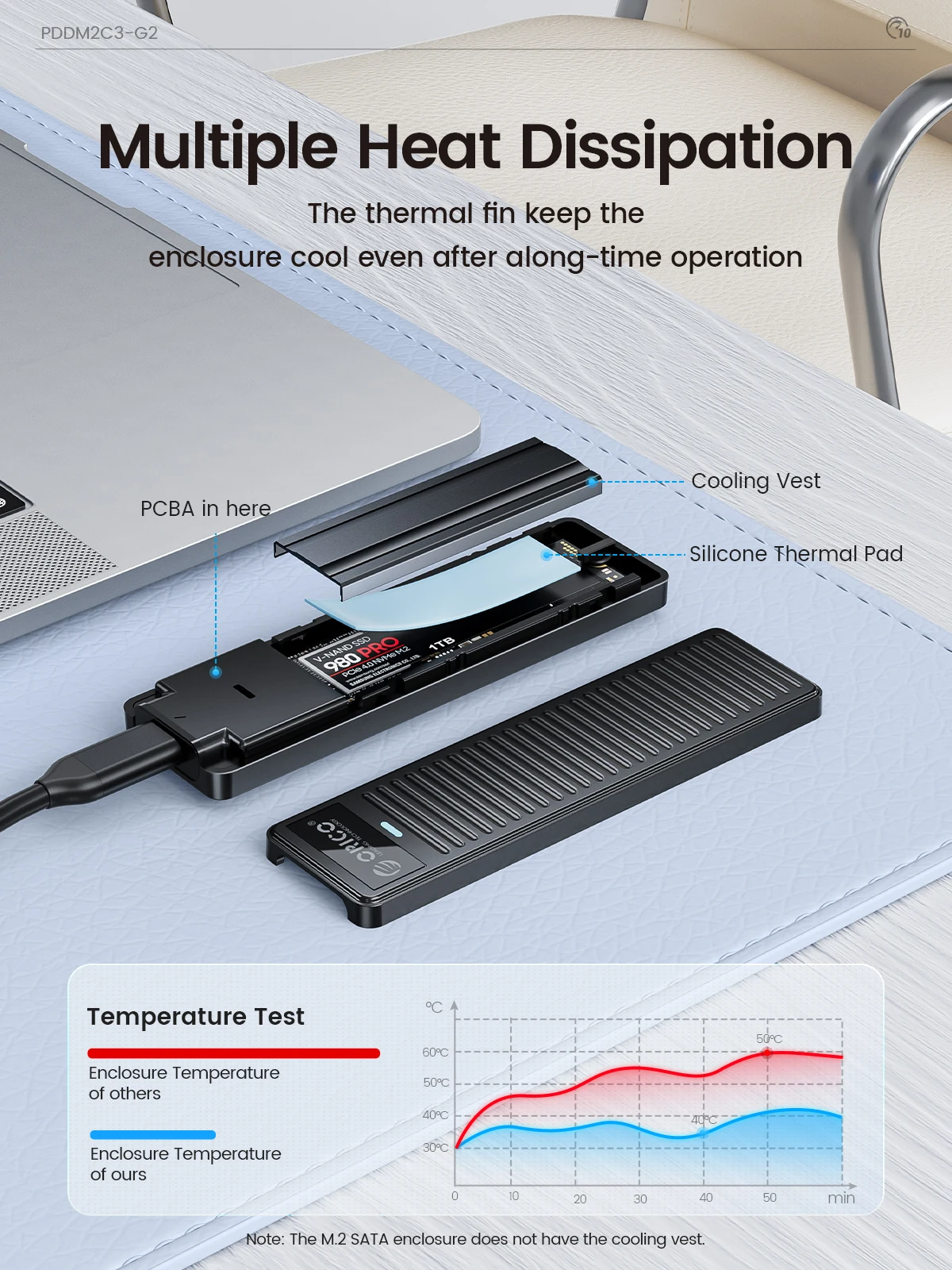
Keep Cool, Keep Faster
Package coming with Cooling Vest, keep the enclosure cool even after a long-time operation.
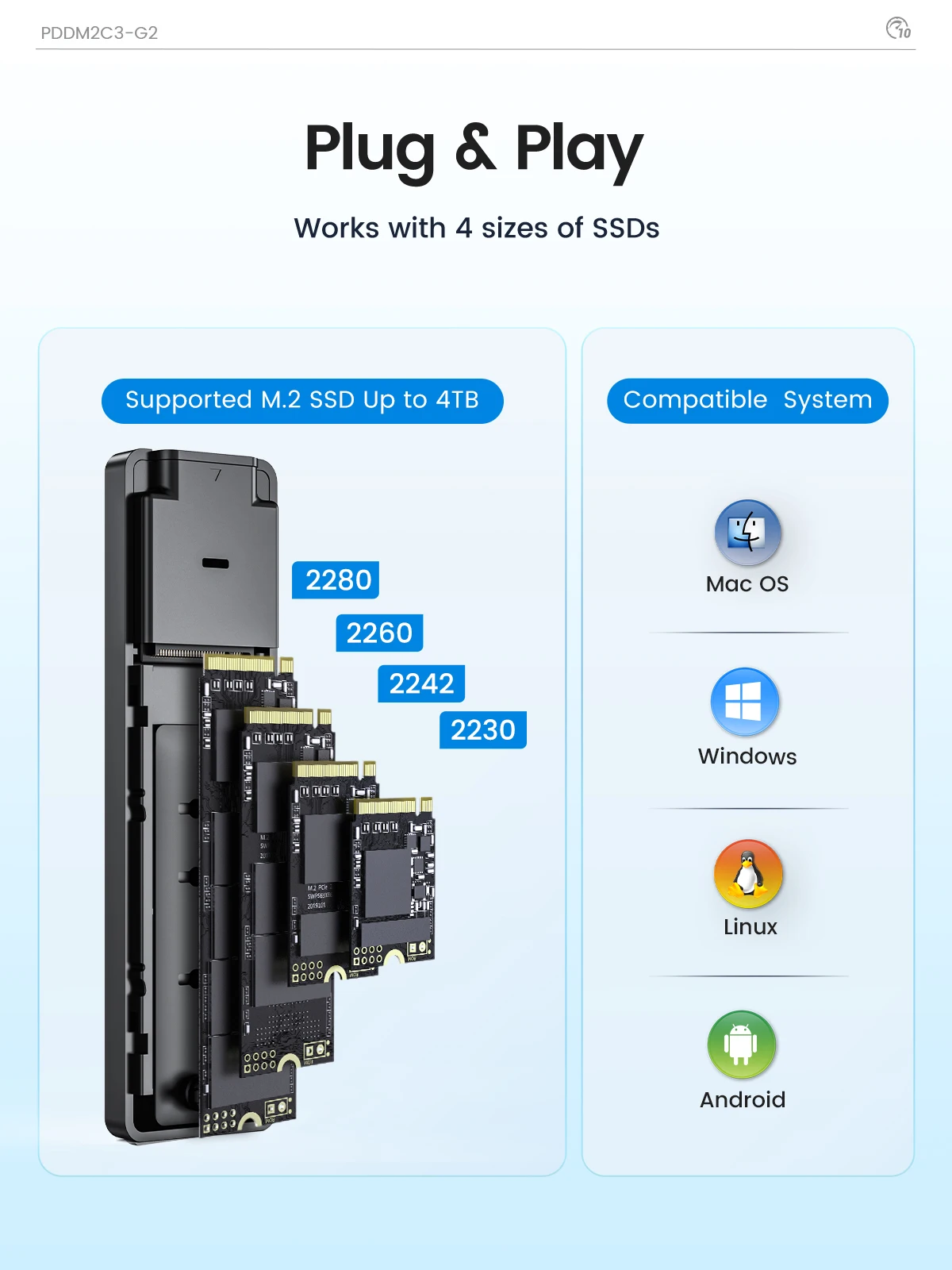
Support 4 sizes of SSD, Plug and Play
Supports four different sizes of SSDS :2230, 2242, 2260, 2280. It also supports Plug and Play functions without worrying about data loss.
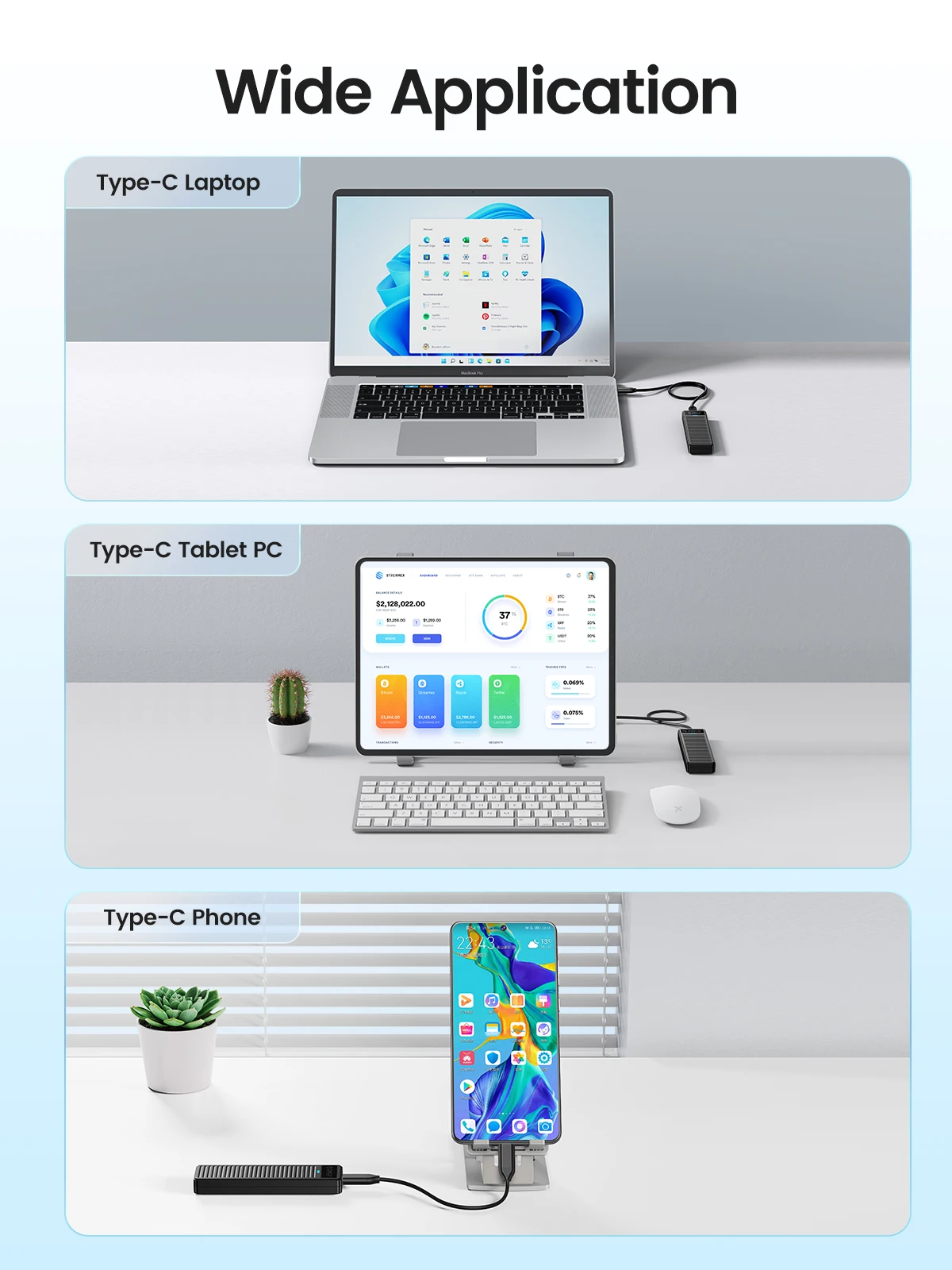
Wide Application
Use data cable, conect your tablet PC, laptop or your phone.
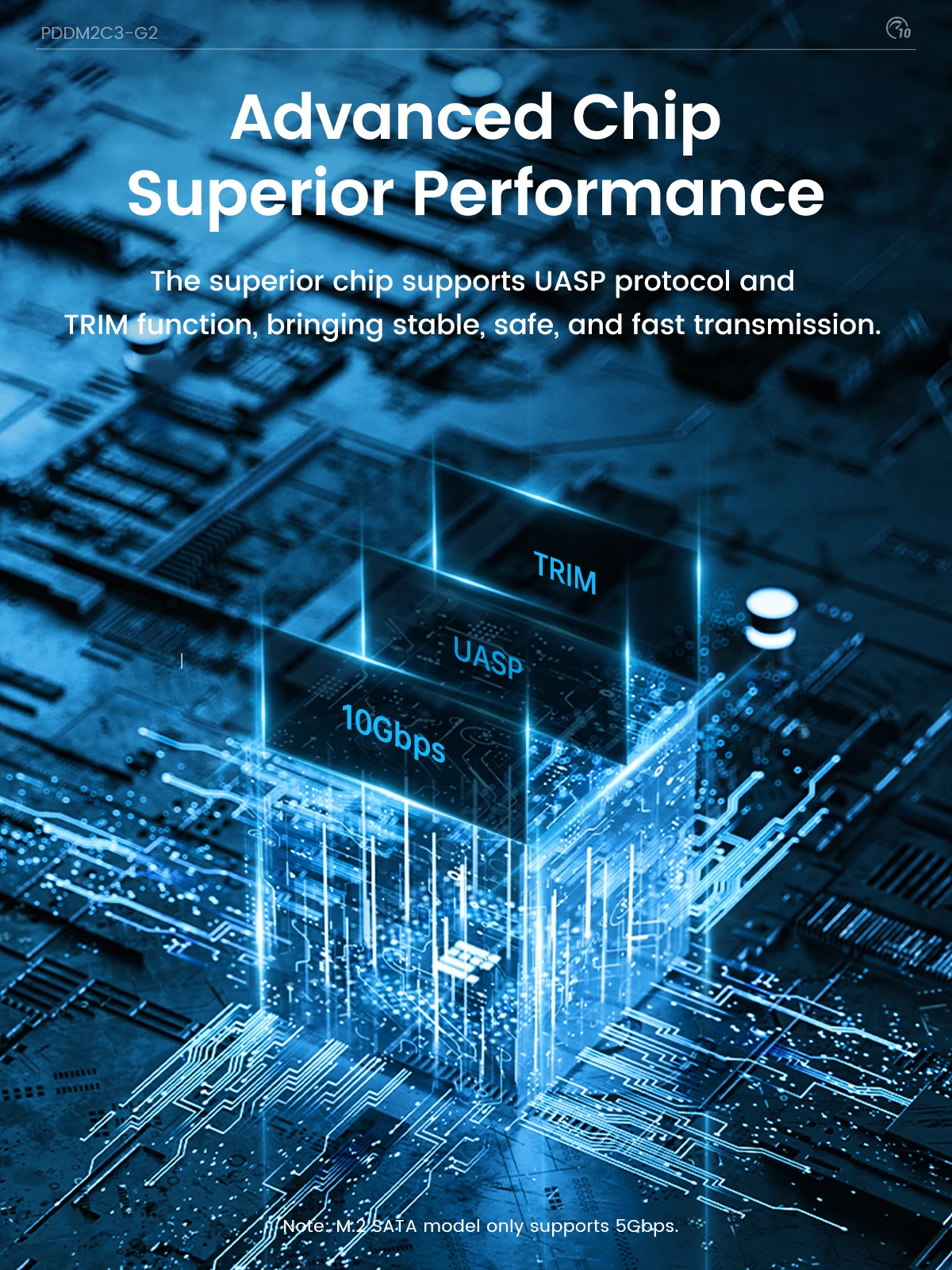
UASP protocol and TRIM function are supported
Use advanced master chip, support UASP protocol and TRIM function, to achieve faster transmission speed.
Package List
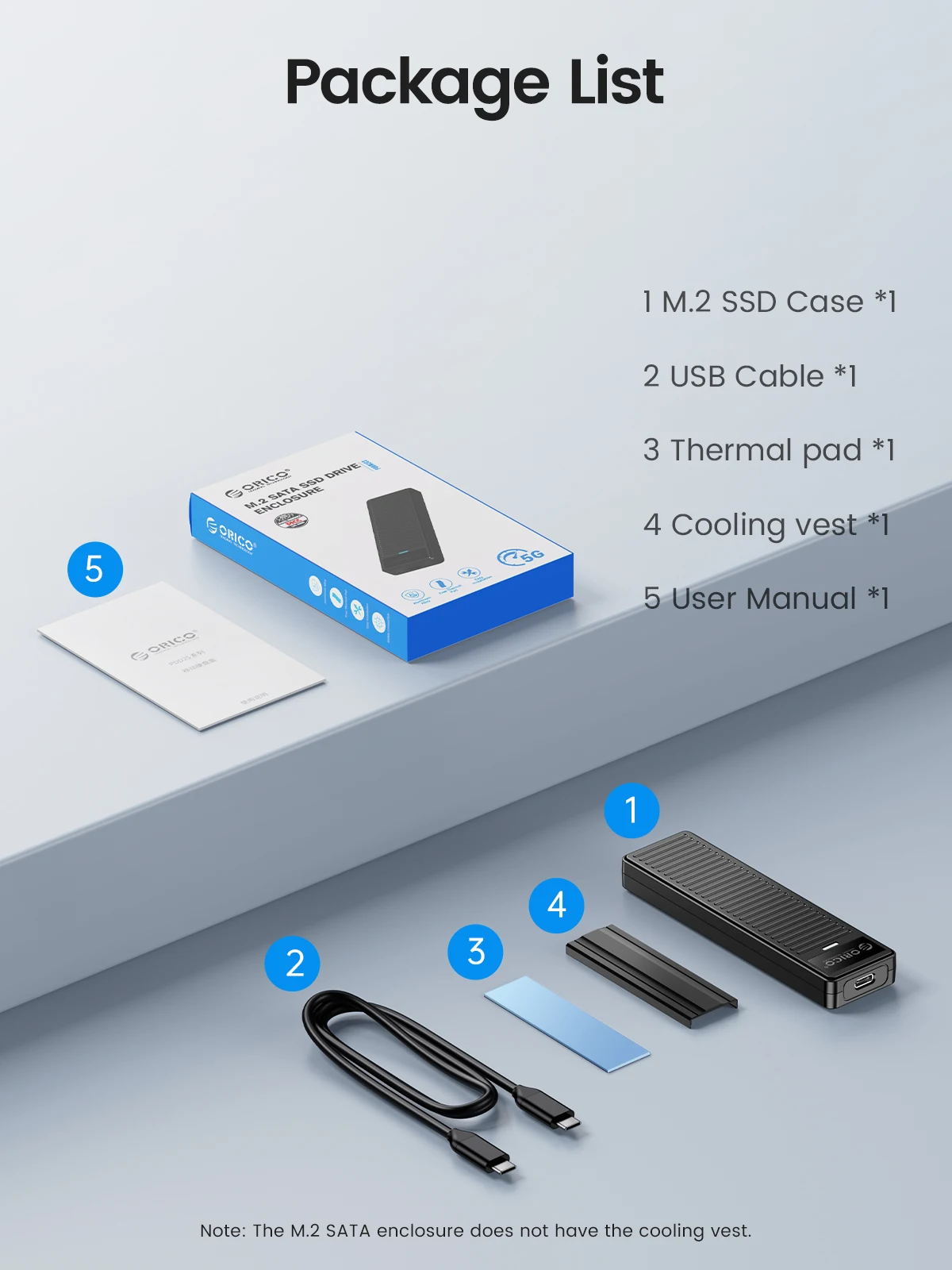
Product*1
Package*1
USB-C to USB-C Data Cable*1
Thermal Pad*1
Cooling Vest*1
User Manual*1
Please Ntoe:
When you need to take out the SSD, please perform a safe removal operation on the device before disconnecting it from the device. Do not remove the NVMe M.2 enclosure and SSD forcibly to avoid data loss and hard drive damage.
When this SSD enclosure M.2 NVMe is copying data, do not forcibly disconnect the device to avoid file loss and hard drive damage.
Q:After installing SSD, the computer is not read by the enclosure?
A:1.Confirm whether the connection between the data cable and the product and equipment is in good contact, and whether the SSD is installed correctly.
2.The new SSD needs to be partitioned and formatted for the first use, otherwise the device cannot recognize the SSD.
3.Confirm whether the system supports large-capacity hard drives, WinXP 32-bit systems do not support hard drives above 2T.
4.Confirm whether the hard disk format is consistent with the SSD format supported by the system. If not, please format the SSD into a hard disk format supported by the system.
Q:Why can't it write in Mac OS? But it can read and write normally under Windows.
A:Please confirm the format of your M.2 SSD. And Mac OS has to install NTFS reading software to read M.2 SSDs in NTFS format.
Q:Why is the speed not as fast as advertised?
A:The operating speed of the product is determined by the notebook, host performance,M.2 SSD performance, USB port type and so on. For the fastest read and write speeds, an NVMeSSD should be used, and the external enclosure for the M.2 SSD should be connected to a USB 3.1 GEN2 10G port.
Q:Why does it generate heat?
A:SSDs generate heat as they read and write at high speeds. The aluminum case of this product effectively transfers heat throughout the case, quickly releasing the high temperatures generated by NVMe SSDs when they are operating.
Q:What formats of disks do different systems support?
A:Hello. Windows:FAT32, exFAT, NTFS. MacOS:HFS+, APFS. Linux:EXT2, EXT3, EXT4, XFS, Btrfs. Android:FAT32, exFAT, NTFS, ext3, ext4(Requires a third-party application). iOS:APFS, FAT32(Requires a specific external storage device). BSD:UFS. Solaris:ZFS.
Brand Name: Orico
Choice: yes
Compatible Brand/Model: None
High-concerned chemical: None
Interface Type: PCI Express
Model Number: PDDM2C3
Origin: Mainland China
Plug Type: USB
Please confirm the interface and compatible protocols before purchase.
NVMe 10Gbps: Only supports M key SSD and PCIE SSD. SATA SSD is not supported!
NVMe SATA Dual Protocol: When using NVMe SSD, the transmission rate is 10Gbps and the read and write speed is 1000MB/s. When using M.2 SATA SSD, the transmission rate is 5Gbps, and the reading and writing speed is 450MB/s.
How to choose a M.2 Case for your SSD
SATA and NVMe model have different ports, and SATA output port is USB-A, and NVMe output port is USB-C.
Simple Design Appearance
Focusing on the beauty of simplicity.
Tool-free Installation
Press the side and slide out the solid-state drive tray.
1G in 1 Second
When using NVMe SSD, the transmission rate is 10Gbps and the read and write speed is 1000MB/s. When using M.2 SATA SSD, the transmission rate is 5Gbps, and the reading and writing speed is 450MB/s.
Keep Cool, Keep Faster
Package coming with Cooling Vest, keep the enclosure cool even after a long-time operation.
Support 4 sizes of SSD, Plug and Play
Supports four different sizes of SSDS :2230, 2242, 2260, 2280. It also supports Plug and Play functions without worrying about data loss.
Wide Application
Use data cable, conect your tablet PC, laptop or your phone.
UASP protocol and TRIM function are supported
Use advanced master chip, support UASP protocol and TRIM function, to achieve faster transmission speed.
Package List
Product*1
Package*1
USB-C to USB-C Data Cable*1
Thermal Pad*1
Cooling Vest*1
User Manual*1
Please Ntoe:
When you need to take out the SSD, please perform a safe removal operation on the device before disconnecting it from the device. Do not remove the NVMe M.2 enclosure and SSD forcibly to avoid data loss and hard drive damage.
When this SSD enclosure M.2 NVMe is copying data, do not forcibly disconnect the device to avoid file loss and hard drive damage.
Q:After installing SSD, the computer is not read by the enclosure?
A:1.Confirm whether the connection between the data cable and the product and equipment is in good contact, and whether the SSD is installed correctly.
2.The new SSD needs to be partitioned and formatted for the first use, otherwise the device cannot recognize the SSD.
3.Confirm whether the system supports large-capacity hard drives, WinXP 32-bit systems do not support hard drives above 2T.
4.Confirm whether the hard disk format is consistent with the SSD format supported by the system. If not, please format the SSD into a hard disk format supported by the system.
Q:Why can't it write in Mac OS? But it can read and write normally under Windows.
A:Please confirm the format of your M.2 SSD. And Mac OS has to install NTFS reading software to read M.2 SSDs in NTFS format.
Q:Why is the speed not as fast as advertised?
A:The operating speed of the product is determined by the notebook, host performance,M.2 SSD performance, USB port type and so on. For the fastest read and write speeds, an NVMeSSD should be used, and the external enclosure for the M.2 SSD should be connected to a USB 3.1 GEN2 10G port.
Q:Why does it generate heat?
A:SSDs generate heat as they read and write at high speeds. The aluminum case of this product effectively transfers heat throughout the case, quickly releasing the high temperatures generated by NVMe SSDs when they are operating.
Q:What formats of disks do different systems support?
A:Hello. Windows:FAT32, exFAT, NTFS. MacOS:HFS+, APFS. Linux:EXT2, EXT3, EXT4, XFS, Btrfs. Android:FAT32, exFAT, NTFS, ext3, ext4(Requires a third-party application). iOS:APFS, FAT32(Requires a specific external storage device). BSD:UFS. Solaris:ZFS.